Docs and FAQ
How it works.
Install
- Upload the plugin and activate it. WooCommerce must be active.
- Make sure Cash on Delivery is enabled in WooCommerce, Settings, Payments.
- Open WooCommerce, Threshold, and set your limits, fee and advance.
Needs WordPress 6.2 or newer and PHP 7.4 or newer.
Block and classic checkout, HPOS
The fee, the advance note and the redirect to the advance payment page work on both the block checkout and the classic checkout. The plugin declares compatibility with High-Performance Order Storage and creates advance orders through WooCommerce's own order functions.
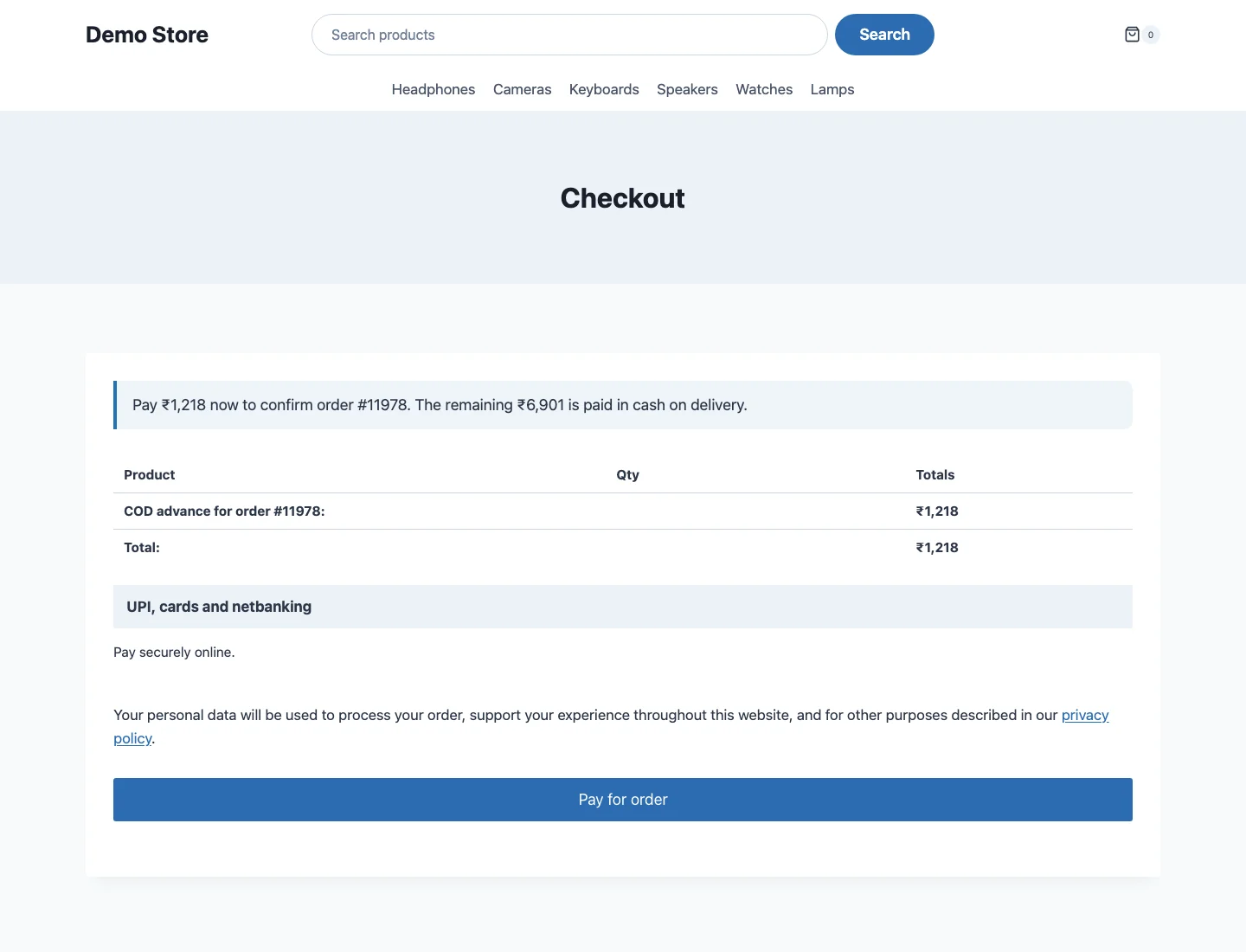
How the advance works
The customer's order keeps its full total. We never change the total, because gateways, refunds and reports all depend on it.
Because the advance is paid on the standard pay-for-order page, every gateway that works there works here. Cash on Delivery itself is removed from that page. Offline gateways such as bank transfer confirm the advance only when you mark the advance order as paid.
Advance orders are hidden from the orders list so they do not look like extra sales, each is linked from its main order, and WooCommerce Analytics does not count them as revenue. A refund of the advance goes through the advance order.
Statuses and actions
- COD: advance due. The order is waiting for the advance. If it is not paid within the hours you set, the order is cancelled and stock is released.
- COD: balance due. The advance is paid. The balance is collected on delivery.
- Order action Balance collected marks the cash received.
- Order action Customer refused delivery records the refusal. The dashboard counts it.
Customers get an email asking for the advance and another when it is received. You get the normal New Order email once the advance is paid. All are WooCommerce emails and can be edited under WooCommerce, Settings, Emails.
Rules
Show COD only inside a minimum and maximum order. Hide or allow it by country, state, postcode (ranges and wildcards), customer type, user role, product, category, shipping class or shipping method. Rules run top to bottom, the first match wins, and each can carry its own message. Free includes 3 rules.
COD fee
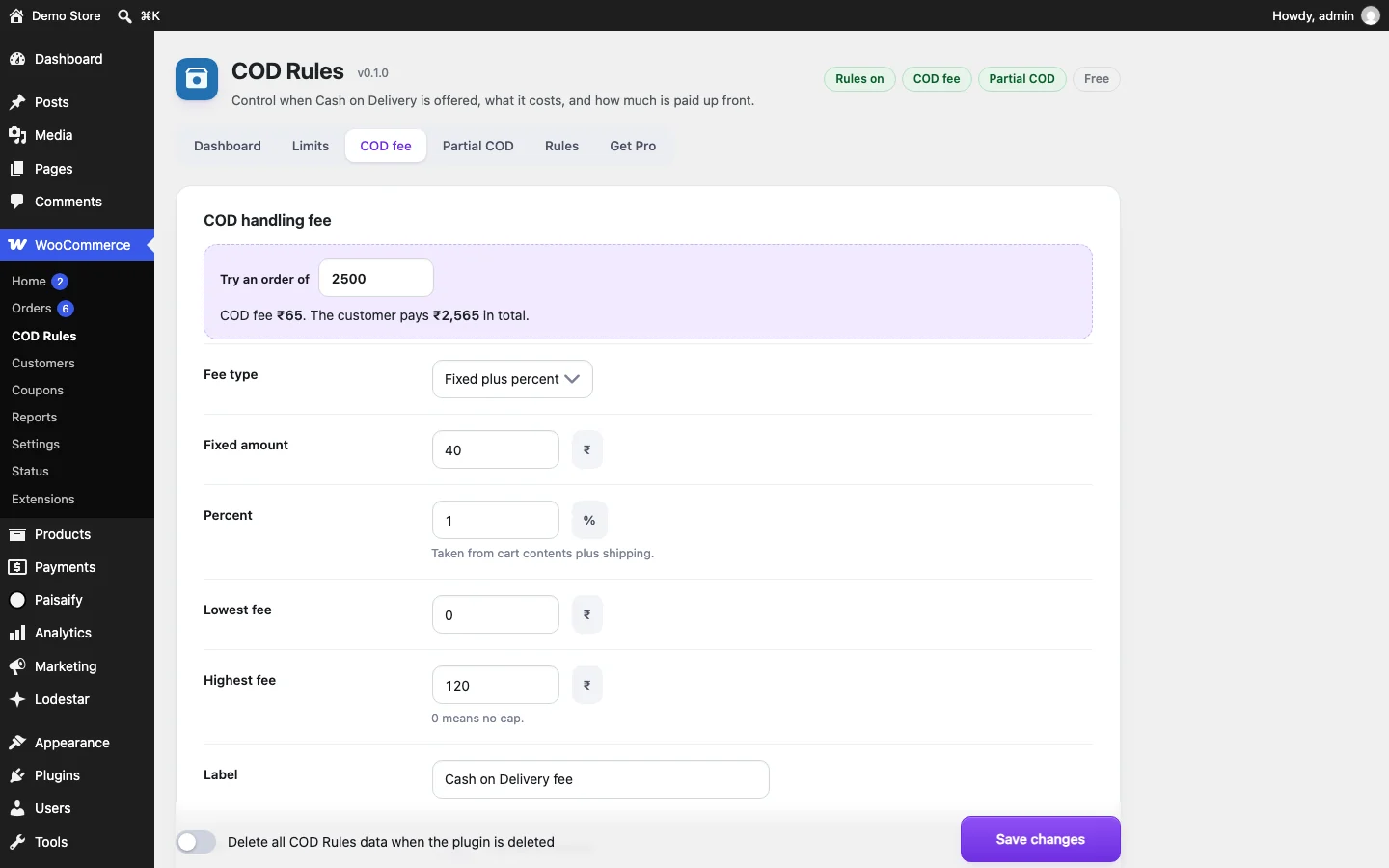
Fixed, percent, or both, with a lowest and highest amount, optional tax and your own label. The fee is calculated from the cart contents plus shipping.
What is stored
One small table, codr_orders, with one row per COD order. It holds the order id, date, status, outcome, total, fee, advance, balance, pincode, state, a hashed customer identifier, a hashed phone identifier and, in Pro, the risk score and its reasons. It does not hold a name, an email address or a phone number. Pincode and state are kept in clear because the pincode report needs them. Deleting an order deletes its row. The plugin also keeps its settings in an option.
The free plugin does not contact any outside server.
Uninstall cleanly
At the bottom of the settings screen there is a switch to delete all plugin data when the plugin is deleted. Tick it, save, then delete the plugin from the Plugins screen. The settings and the table are removed, including the Pro settings, licence record and Pro table if Pro was installed. Leave it unticked and your data stays for a reinstall.
Pro and licence
Pro is a separate plugin. Install it and the free plugin switches off by itself, and your settings carry over. Enter your key on the Licence tab. Activation and update checks send the licence key, the product name, a random install id, your site's domain and the plugin version to our licence server. Nothing about your customers or orders is sent.
Email, SMS and WhatsApp codes
Available now in Pro: after a COD order with no advance is placed, the customer gets a 6 digit code by email, valid for 30 minutes, and enters it on the order page to confirm. SMS and WhatsApp codes are planned and not available.
FAQ
Yes. The fee, the advance note and the redirect to the advance payment page work on the block checkout and on the classic checkout.
Any gateway that works on the WooCommerce pay-for-order page. Cash on Delivery itself is removed from that page, so the advance has to be paid online. Offline gateways such as bank transfer confirm the advance only when you mark the advance order as paid.
No. The main order keeps its full total. A small linked order for the advance amount is created and paid on the normal pay page. When it is paid, the main order moves to COD: balance due. Refunds of the advance go through the advance order, which your gateway already understands.
No. They are hidden from the orders list and WooCommerce Analytics does not count them as revenue. Each one is linked from its main order.
On ordinary page views it runs no code, queries nothing and loads no file. On the checkout it loads one 1.4 KB script. How we measured is on the home page.
The plugin keeps one small table with a row per COD order: amounts, status, pincode, state, and hashed customer and phone identifiers. No name, email or phone number is stored in it.
Not for early buyers. The first 199 licences are $29 one time and the next 200 are $49 one time, each for one site with updates included. After those seats Pro is a yearly licence at $39 per site. Install it and the free plugin switches itself off while your settings carry over.
Not yet. They are planned. The email code (6 digits, valid for 30 minutes) is available in Pro now.